svelte-mediawall
Free, open-source Svelte 5 components that answer the three TV questions every living-room project starts with: how big is the screen, how far should I sit, and how high do I mount it? Made by GetMediaWall; to plan the whole wall around the TV, try our Design Your Wall planner.
Live demo · Source on GitHub · MIT licence · Svelte 5 (runes), no runtime dependencies
Install
npm install github:getmediawall/svelte-mediawall#v1.0.0Use
<script>
  import { TvSizeCalculator, SeatingDistance, MountHeight } from 'svelte-mediawall';
  let diagonal = $state(65);
</script>

<TvSizeCalculator bind:diagonal />
<SeatingDistance bind:diagonal seatFt={9} />
<MountHeight bind:diagonal furnitureIn={24} units="metric" />| Component | What it shows |
|---|---|
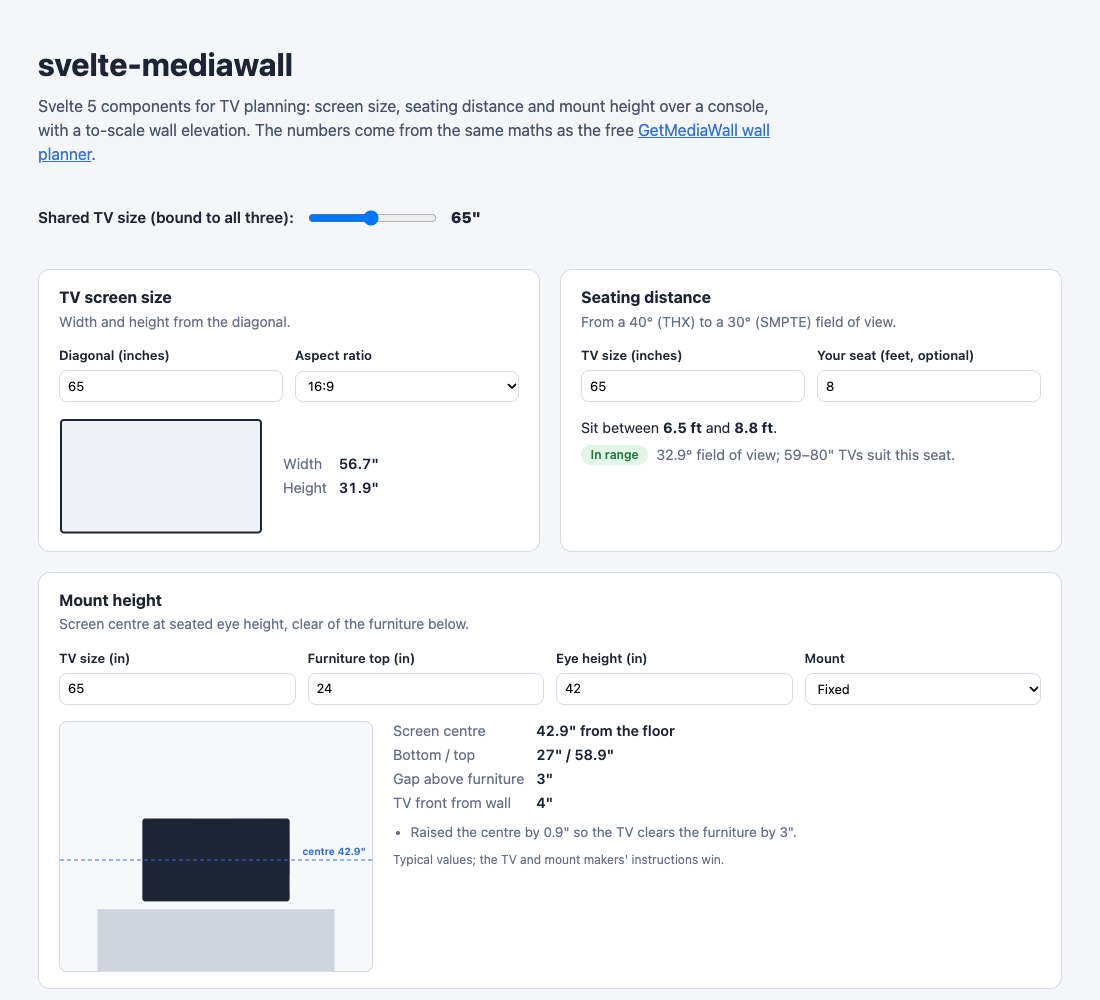
TvSizeCalculator | Width and height from the diagonal (16:9, 21:9, 4:3), to-scale outline |
SeatingDistance | THX 40° to SMPTE 30° range, plus a verdict and ideal TV sizes for your own seat |
MountHeight | Centre, bottom and top edge over a console or mantel, with a wall drawing; flags furniture that is too tall |
How the numbers are worked out
- Size: width = diagonal × 16/√337, height = diagonal × 9/√337 for 16:9 screens.
- Seating: from a 40° horizontal field of view (THX recommendation) to 30° (SMPTE EG-18 minimum).
- Height: screen centre at seated eye height (42" default), raised up to 4" to clear the furniture by 3".
Typical values only: the TV and mount makers' instructions, and local codes, always win. Prefer a pro? Find a TV installer near you.
Written with AI assistance (Claude) and tested by the GetMediaWall team. Same maths in React: mediawall-ui; in Django: django-mediawall.