django-mediawall
A free, open-source Django app for TV-mounting and media-wall installers. It covers your price list, a customer quote form, itemised quotes with PDF, a drag-and-drop job board and printable job sheets. It also puts TV size, seating distance and mount height into any template. Made by GetMediaWall; to plan the whole wall around the TV, try our Design Your Wall planner.
Source on GitHub · MIT licence · version 2.0 · Django 4.2 LTS, 5.2 LTS, 6.0, 6.1 · Python 3.10–3.14
Quotes, jobs and job sheets for installers
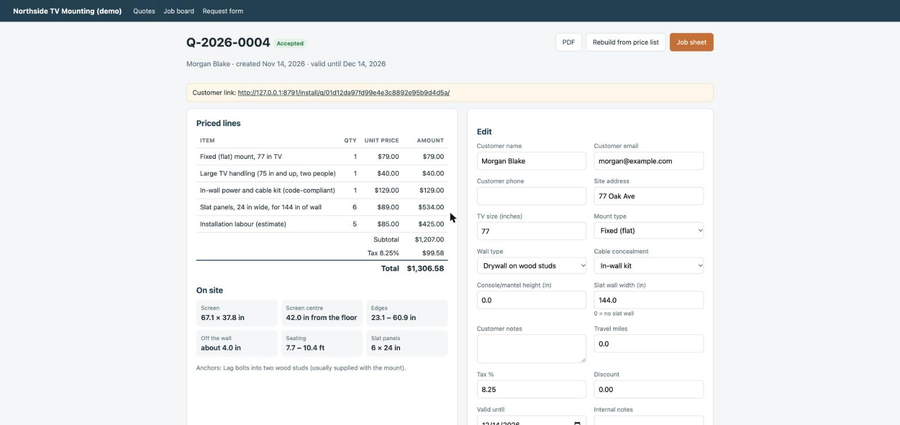
Add django_mediawall.quotes to a Django site and the flow runs from a customer's request to a finished install:
- The customer fills in the request form: TV size, mount, wall type, cable concealment, console height and slat wall width.
- The quote is priced from your price list: the mount, large-TV and masonry surcharges, cable concealment, slat panels, a labour estimate and travel. The customer gets an itemised estimate and a PDF right away.
- You edit the lines, mark the quote as sent, and the customer accepts or declines it from a private link.
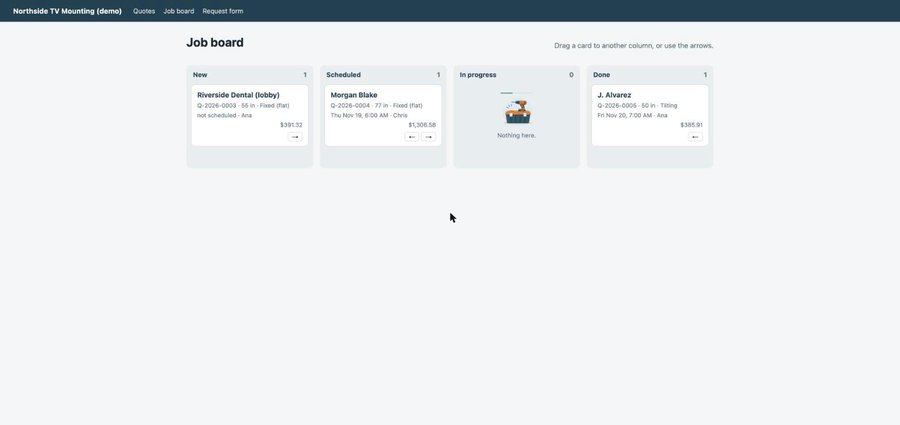
- An accepted quote becomes a card on the job board (New, Scheduled, In progress, Done).
- Each job has a job sheet for the crew: screen size, screen centre and edge heights over the console, how far the TV sits off the wall, the anchors for that wall type, the slat panel count, a site checklist and a signature line.
pip install "django-mediawall[pdf] @ git+https://github.com/getmediawall/django-mediawall@v2.0.0"

# settings.py
INSTALLED_APPS = [..., "django_mediawall", "django_mediawall.quotes"]
MEDIAWALL_COMPANY = {"name": "Your company", "phone": "555-0100"}
MEDIAWALL_TAX_RATE = "8.25"

# urls.py
path("install/", include("django_mediawall.quotes.urls")),

# then
python manage.py migrate
python manage.py mediawall_demo_data   # a starter price list to edit in the admin
The labour estimate starts at 1.5 hours. It adds time for full-motion mounts, masonry or metal studs, cable concealment, 75-inch and larger TVs and each slat panel, then rounds up to the quarter hour. Override any value with MEDIAWALL_LABOUR_HOURS. The starter prices are placeholders; set your own in the admin.
TV size, seating and mount height tools
Who it is for
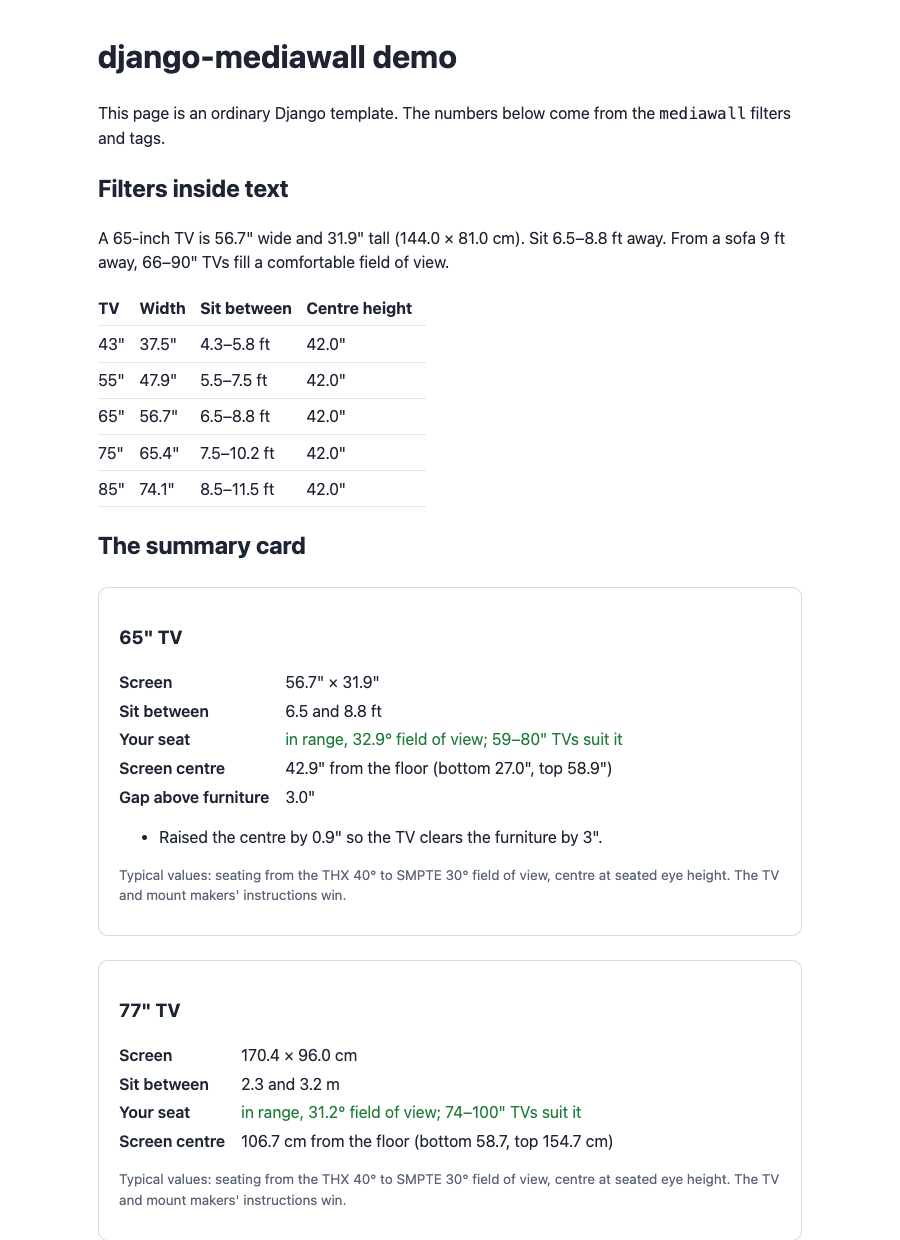
Home-theater blogs, AV installers, TV retailers and smart-home sites built on Django or Wagtail. Instead of copying numbers from a chart, write {{ 65|seating_range }} and the page shows 6.5–8.8 ft.
Install
pip install git+https://github.com/getmediawall/django-mediawall@v2.0.0# settings.py
INSTALLED_APPS = [..., "django_mediawall"]
# urls.py (optional calculator page)
path("tv-planner/", include("django_mediawall.urls")),Template filters
{% load mediawall %}
{{ 65|tv_width }}            → 56.7   (inches, 16:9)
{{ 65|tv_height }}           → 31.9
{{ 65|seating_range }}       → 6.5–8.8 ft
{{ 9|tv_size_for_seat }}     → 66–90  (inches, for a 9 ft seat)
{{ 65|mount_center }}        → 42.0   (screen centre from the floor)
{{ 65|mount_center:24 }}     → 42.9   (over a 24" console)
{{ 65|tv_width|in_to_cm }}   → 144.0
{{ 65|seat_max_ft|ft_to_m }} → 2.7
Filters never raise: a typo in a CMS field renders as an empty string, the same convention as Django's built-in filters.
Tags
{% mediawall_card 65 seat_ft=8 furniture_top_in=24 %}
{% mediawall_card 77 seat_ft=10 metric=True %}
{% viewing_plan 65 seat_ft=12 as v %}{{ v.verdict }} {{ v.field_of_view_deg }}°
{% mount_plan 75 furniture_top_in=30 mount_type="tilt" as m %}{{ m.center_in }}
Calculator page
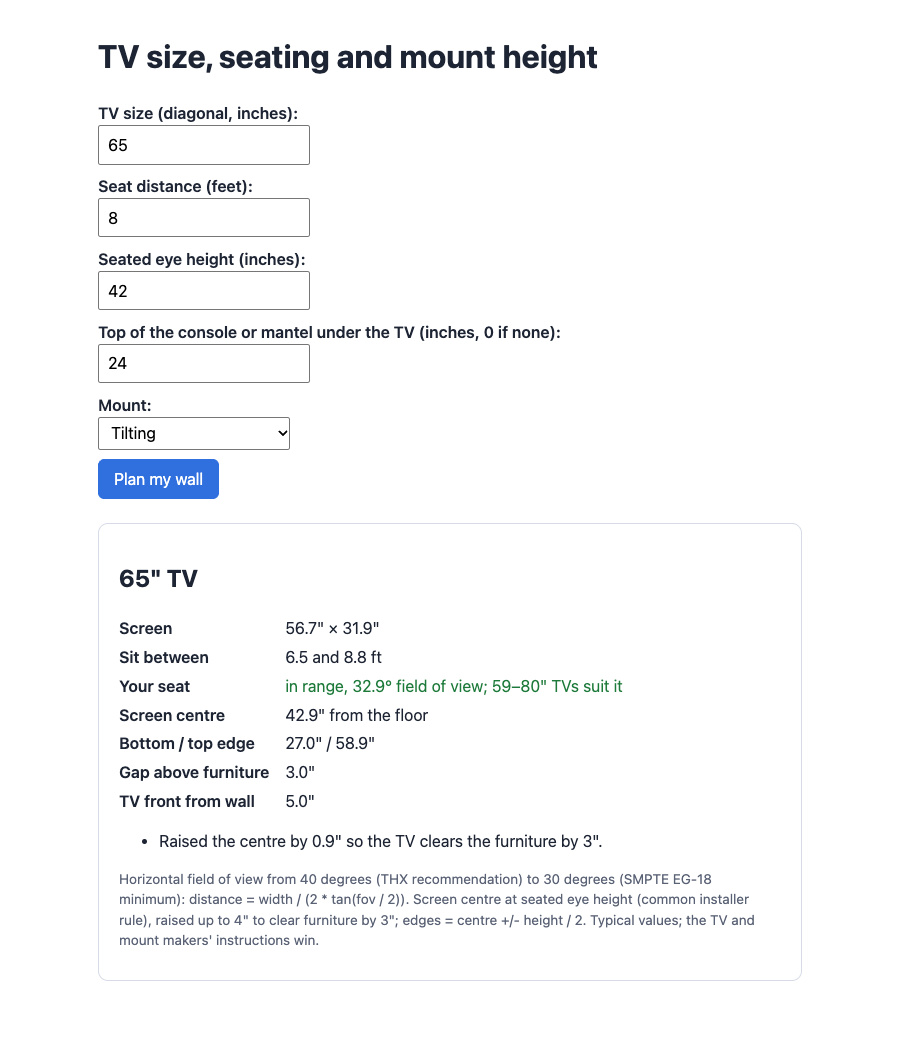
django_mediawall.urls adds a read-only GET form; nothing is stored. Set MEDIAWALL_BASE_TEMPLATE to your site's base template (it needs a content block).
Python API
from django_mediawall import planner
planner.screen_size(65)
planner.viewing_distance(65, 9 * 12)
planner.mount_height(65, furniture_top_in=24, mount_type="tilt")
planner.vesa_check("400x300", 60, mount_max_pattern="600x400", mount_max_weight_lb=100)
planner.wall_anchor_notes("brick")
planner.cable_length(96, cables=2)
How the numbers are worked out
- Size: width = diagonal × 16/√337, height = diagonal × 9/√337 for 16:9 screens.
- Seating: from a 40° horizontal field of view (THX recommendation) to 30° (SMPTE EG-18 minimum).
- Height: screen centre at seated eye height (42" by default). Over furniture, the centre is raised up to 4" to leave a 3" gap. Above 50" the app warns about neck strain.
These are typical values. The TV and mount makers' instructions, and local building and electrical codes, always win. If you'd rather not do it yourself, find a TV installer near you.
Changelog
2.0.0 (18 November 2026): installer quotes, PDF estimates, job board and job sheets (django_mediawall.quotes).
1.0.0 (18 November 2026): first release. See the full changelog.